
The LUCY Drawing Tool: Is It Worth It? 8 Honest Answers
The LUCY Drawing Tool: Is It Worth It? 8 Honest Answers Before You Buy
We dug through hundreds of customer reviews, forum threads, and the Shark Tank story. Here’s the straight version — including the catches — so you can decide for yourself.

If you’ve been eyeing the LUCY but can’t tell whether it’s a genuinely useful drawing aid or just a clever gadget, you’re not alone — it’s the single most common question we saw while researching it.
The marketing makes it look effortless. Real life is a little more nuanced: there’s a short learning curve, lighting matters, and it doesn’t draw for you. None of that is a dealbreaker — but you deserve to know it before you spend $69 to $275.
So we read the reviews (the glowing ones and the critical ones), watched independent demos, and cross-checked the company’s own shipping, return, and warranty policies. No spin.
Below are the 8 questions real buyers actually ask — answered straight, with the catches named and resolved — so by the end you’ll know whether the LUCY is right for you, and which model to get.
How we researched this
We read hundreds of verified customer reviews, watched independent YouTube tests, scanned forum debates among artists, and cross-checked the company’s own shipping, return, and warranty policies. Where a claim depends on you, we say so.
“Isn’t using it cheating? Will I still learn to draw?”
Short answer: No — and yes, you’ll still learn.This is really two questions, so let’s answer both. First: no, it isn’t cheating. Artists have always reached for optical tools — the camera lucida and camera obscura have been associated with the Old Masters (Vermeer, Rembrandt, and others) for centuries, and the LUCY is a modern take on that same technique. And either way, you still draw every single stroke yourself. It doesn’t produce a single line — your hand does.
Second: yes, you still learn to draw — you actually learn faster. What the LUCY does is train your eye to see: to judge proportion and perspective accurately, which is exactly the skill most self-taught artists struggle with. Use it as a feedback loop — draw, compare, correct — and your eye sharpens over time, so you lean on it less. It’s a learning tool, not a crutch.
“This is sooooo much fun. Really. For a long time I felt that using the Lucy would be cheating. I like to draw. But after I watched several videos by David Hockney, I really wanted to try it for myself. I am convinced the Lucy will make me a better artist.”
Margaret O. · LUCY flex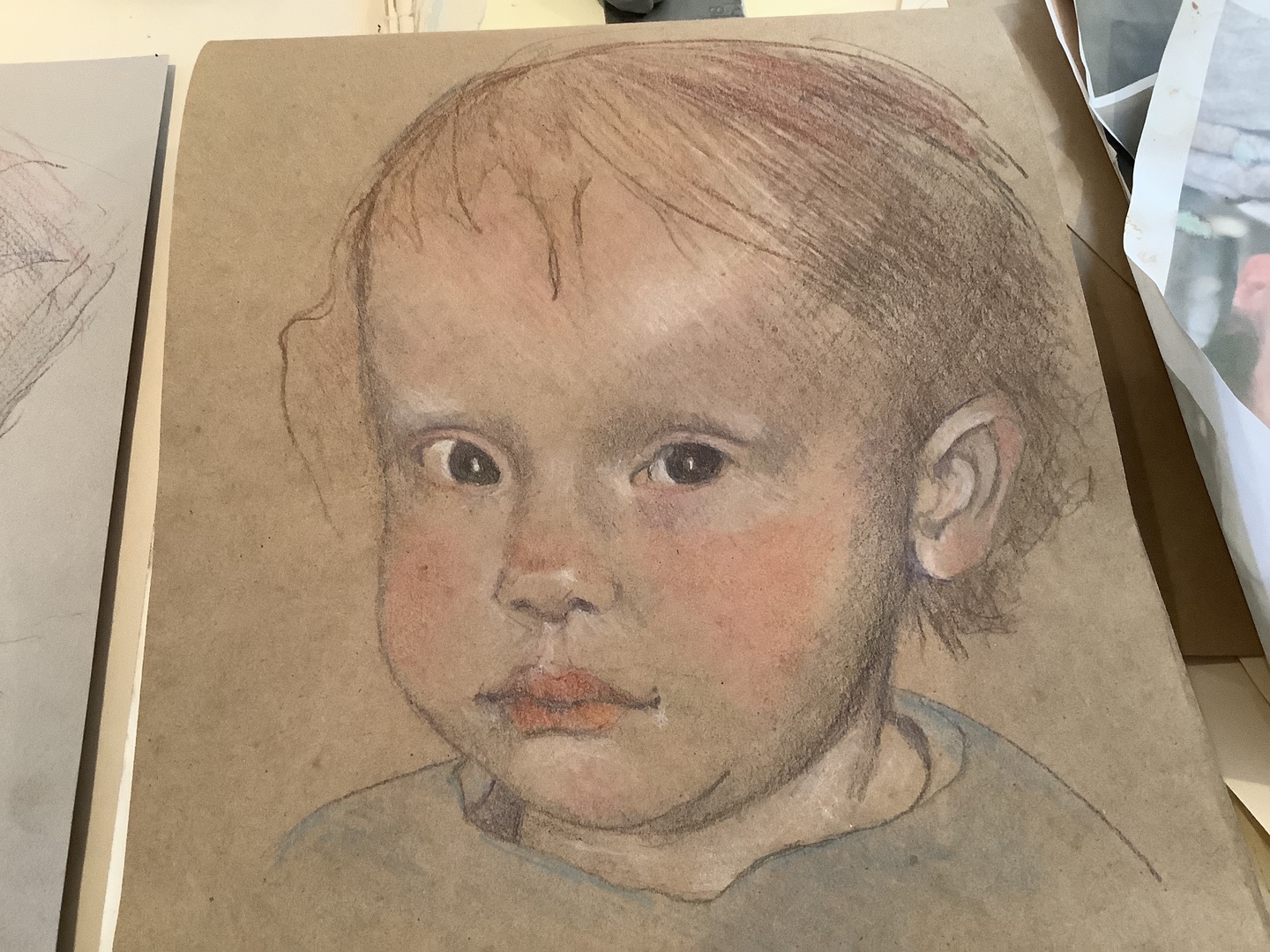
“Does it actually work, or is it a gimmick?”
Short answer: Yes, it works — it’s real optics, not a gimmickIt genuinely works — this is not a gimmick, and the mechanism is real, proven physics. The LUCY uses a true half-silvered (semi-transparent) mirror that overlays a ghost reflected image of your subject directly onto your paper. Look through it and you see your reference and your pencil tip at the same time, so your hand goes exactly where it should. It’s the same optical principle artists have relied on for generations, and the results speak for themselves.
What it’s great at is the hardest part of any drawing: proportion and outline. Getting the eyes the right distance apart, the nose the right length, the whole composition sized correctly — that’s what trips most people up, and that’s precisely what the LUCY nails.


“I really had high expectations because of the videos I’d seen... once I got the hang of it, it really, really works great! Other than the learning curve, figuring out how to use it, I really have enjoyed it and am grateful I took the leap to purchase. I highly recommend anyone - new artist or professional - everyone will get use from this great tool!”
Aleta P. · LUCY flex · Oct 28, 2022It does the seeing; you do the drawing. The shading, the texture, the character — that’s still all you. The LUCY hands you an accurate foundation so your effort goes into the artistry, not fighting the proportions.
“Do I need a dark room or perfect lighting?”
Short answer: No dark room — but lighting does matterHere’s the straight version: the LUCY is not a projector, so you do not need a dark room — the opposite is true. It works by reflection, and more light is better. What it wants is a normal, well-lit space with light on both the subject and your drawing surface, just like any ordinary art studio.
Nearly every lighting complaint comes down to one of two things: uneven light — usually more light falling on the drawing surface than on the subject — or simply not enough light overall. If your reflected image looks washed out or too dim to see, that’s the culprit almost every time.
Light the subject at least as brightly as your paper, and add more light to the whole space if the image is hard to see. Then use the included optical filters to make the reflected image brighter or dimmer until it’s crisp. Once it’s balanced, it stays set — no special studio or blackout curtains required.
“I just received my LUCY and I’m thrilled. My first attempt using it impressed me. It was easy to assemble and set up. Finding the right lighting is the only thing that gets in the way, but the filters that come with it help a lot. I strive to draw realistic portraits and this has given me the ability to up my game! I’m so pleased.”
Shareen P. · LUCY flex + Photo Enlarger · Mar 19, 2021“Is there a learning curve?”
Short answer: About 30–60 minutes the first time, then simpleYes, and we’d be doing you a disservice to pretend otherwise. Plan on about 30 to 60 minutes the first time — positioning the mirror, getting your eye in the right spot, and dialing in the brightness — before it “clicks.” After that first session, setup is quick and simple every time.
Here’s why that matters: nearly every disappointed review traces back to expecting it to work perfectly in the first two minutes. It doesn’t. Once it clicks, though, people describe it as effortless.
Give it one relaxed practice session before your “real” drawing. The LUCY ships with a numbered quick-start, and there are included video tutorials and a Learning Hub to walk you through setup. Budget that first hour up front and you’ll skip the only frustration people report.
“My sister bought the Lucy Flex for me as a surprise. I’m an artist and use a grid pattern for drawing my reference photo onto the canvas. She thought it would be much easier and quicker for me to have a drawing tool. It took about 20 minutes to figure out how to position my reference photo and the canvas. Once I figured it out, watch me now! I’m in love with the Lucy Flex. It’s a very clever design and well-made.”
Linda S. · LUCY flex · Mar 20, 2024“I wear glasses or bifocals — will it work?”
Short answer: Single-vision yes; progressives need a workaroundWorth answering directly, because plenty of artists wear glasses. If you have single-vision glasses, you’re fine — it works normally.
Because you’re looking through the lens at two focal distances at once (the reflected image and your paper), progressive or bifocal lenses can sometimes make the image appear doubled.
Two easy options that reviewers use: wear inexpensive single-vision reading glasses while you draw, or simply remove your glasses if you can focus at drawing distance without them. Either one resolves the doubling.
“The Lucy tool takes a bit of practice, especially if you wear bifocals. I’m fortunate enough to still be able to see without my glasses, so after taking those off, it became much easier. Nice product that I believe is going to help my drawing skills!”
Steve C · LUCY flex · May 17, 2023“Can I draw from real life, or only photos?”
Short answer: Yes — live 3D subjects are its superpowerThis is the LUCY’s biggest differentiator, and it’s the reason a lot of buyers choose it over an app. You can draw from live, three-dimensional subjects right in front of you — a person sitting for a portrait, a vase of flowers, your dog asleep on the couch, a landscape out the window. An app or projector can’t do that; it can only show you a flat photo.
- Draw live people, pets, still-life objects, and scenes — in real 3D.
- Photos work too — pair it with the $22 Photo Enlarger accessory to enlarge a photo 2.5–4×.
- Any medium, any surface — pencil, pen, charcoal, marker, or paint.

“I love the LUCY... I use it to quickly get the correct perspective and have used it in life drawing to easily and quickly get the proportions correct. I also use it just to revive my interest in art when I find it flagging a little. It is exciting with endless possibilities. Even the dishes in the sink look exciting and are easy to draw with the LUCY.”
Rhonda S. · LUCY flex + Photo Enlarger · Mar 7, 2020“How is the LUCY different from how you draw now?”
Short answer: Faster than freehand or the grid, and no dark room like a projectorFair question — before the LUCY, most people reach for one of three things: they draw freehand, they use the grid method, or they set up a projector. Each one works, and each has a real trade-off. Freehand is the purest, but nailing proportion by eye is exactly the wall most people hit. The grid is accurate and costs nothing, but it’s slow to rule out every square, and it only works from a flat photo. A projector gives you a big image, but it needs power, a dark room, and a flat photo or screen — no live subjects. Here’s the honest head-to-head:
| LUCY | Freehand | Grid method | Projector | |
|---|---|---|---|---|
| Draws from live subjects & photos | Both | Both | Photos only | Photos only |
| Speed / setup time | Fast once set | No setup | Slow (rule the grid) | Moderate |
| Accuracy of proportions | High | Down to your eye | High | High |
| Works in normal room light | Yes | Yes | Yes | No (needs dark) |
| Portable, no cords | Yes | Yes | Yes | No |
| Trains your eye as you go | Yes | Yes | Somewhat | Little |
LUCY
- Live subjects & photos
- Both
- Speed / setup
- Fast once set
- Proportion accuracy
- High
- Works in normal light
- Yes
- Portable, no cords
- Yes
- Trains your eye
- Yes
Freehand
- Live subjects & photos
- Both
- Speed / setup
- No setup
- Proportion accuracy
- Down to your eye
- Works in normal light
- Yes
- Portable, no cords
- Yes
- Trains your eye
- Yes
Grid method
- Live subjects & photos
- Photos only
- Speed / setup
- Slow (rule the grid)
- Proportion accuracy
- High
- Works in normal light
- Yes
- Portable, no cords
- Yes
- Trains your eye
- Somewhat
Projector
- Live subjects & photos
- Photos only
- Speed / setup
- Moderate
- Proportion accuracy
- High
- Works in normal light
- No (needs dark)
- Portable, no cords
- No
- Trains your eye
- Little
Freehand and the grid are honest ways to learn — the grid is genuinely accurate, it’s just slow and photo-only. A projector gives a big image but ties you to a dark room and a flat photo. The LUCY’s edge is doing all of it in normal light, from live subjects or photos, fast once it’s set — while your eye keeps training as you draw.
Want the deep dive? Learn more: LUCY vs. art projectors
“So I’ve loved to draw since I was a kid and had been taught the grid method as well as the use of dividers for proper proportions and scale. The Lucy is sooo much faster. It makes the initial layout and composition easier so that I can get down to the business of making sketches that I’m really proud of. For the beginner or an old guy like me, I love Lucy.”
Dave B · Photo Enlarger · Jan 17, 2024
“Which model do I need — and is it worth it?”
Short answer: Worth it for most — start with the flexHere’s our bottom line after all of the above. If you want to draw realistically and the proportions have always been your wall, the LUCY is worth it — provided you go in knowing the short learning curve and the lighting basics. All three models use the same reflective optics; they differ mainly in image size, brightness levels, and how you can position them. This 2-minute showdown breaks it down:
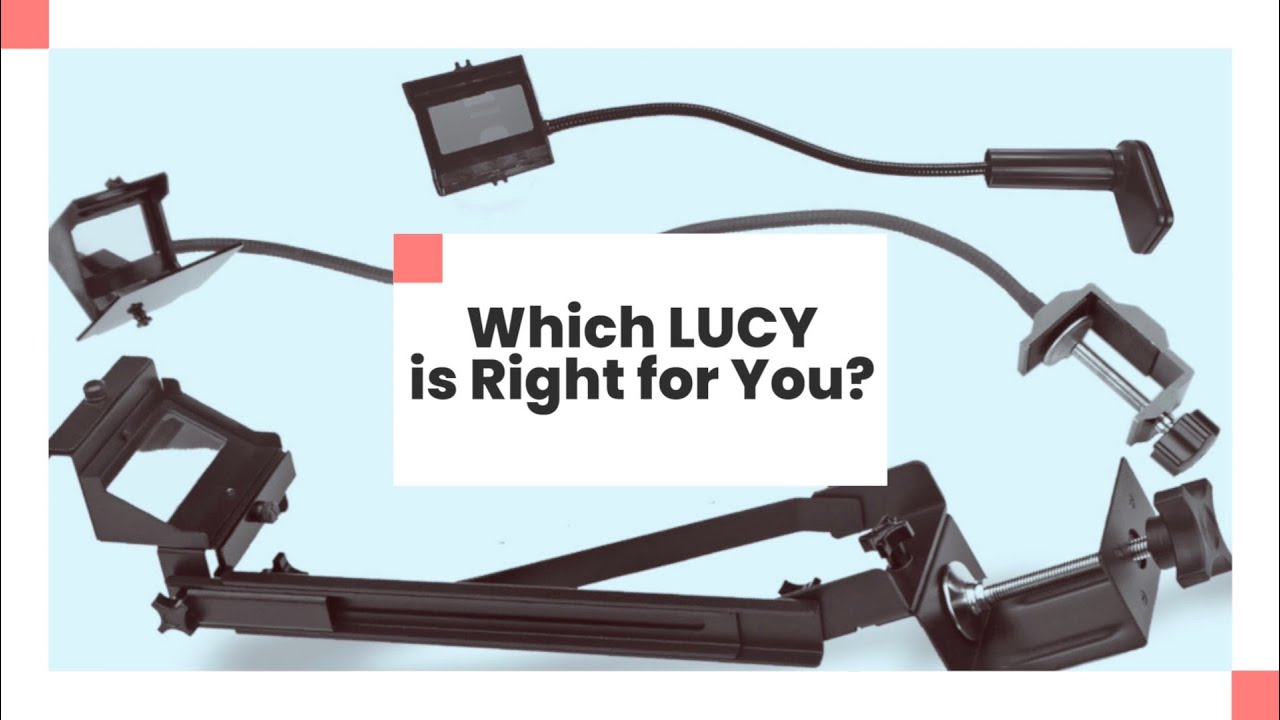 Watch: which LUCY is right for you? (2 min)
The bigger you want to draw and the sturdier you need it, the higher up the range you go:
- mini — the most portable and affordable. Images up to 12×18″ and 2 brightness levels. Great if you want to draw like magic without the larger size or extra features.
- flex — the most versatile, and most people’s pick. Bigger 19×27″ image, up to 4 brightness levels, a solid aluminum clamp, and the only model that also works at an easel. Best balance of size and flexibility.
- pro — the largest and sturdiest. The biggest 20×37″ image, 4 brightness levels, and a lightweight aluminum-alloy body braced with a second cross-support arm. Built for serious and professional work.

or 4 interest-free payments with Affirm — subject to eligibility.
- Image up to 12×18″
- 2+ brightness levels
- The low-risk first LUCY

or 4 interest-free payments with Affirm — subject to eligibility.
- Bigger image — up to 19×27″
- 4+ brightness levels
- 4.2★ from 437 reviews on drawlucy.com

or 4 interest-free payments with Affirm — subject to eligibility.
- Largest image — up to 20×37″
- Sturdiest, most stable build
- For serious & pro artists
30-Day Money-Back
Draw with it. If it’s not for you within 30 days, send it back. See our full return policy.
1-Year Warranty
Shatterproof optics, aluminum clamp, steel flex arm.
Built in the USA
Made in America by the team that reinvented the camera lucida.
30-day money-back guarantee — see our full return policy.
on drawlucy.com
“I have gone blind in my left eye over the last 2 years and this helps me so much to be able to transfer to my work surface, thank you for creating the Lucy tool!”
Kathy Murray · LUCY customer“It is a method. It is a time saver in a busy world… And you can learn from all of them.”
Comoco · LUCY customerAs Seen on Shark Tank
The same tool that was on Shark Tank is the one in this review.
As Seen On
Shipping, returns & the fine print
How fast does it ship?
What’s the return policy?
Is there a warranty?
What can I draw with it?
Is it made in the USA?
So — is the LUCY worth it?
For most artists who want realistic results and have always fought with proportion, yes — as long as you go in knowing the short learning curve. Start with the flex, our most popular model.
Shop LUCY →